krishna-gupta
New member
- Messages
- 6
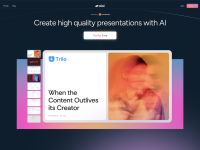
Alai helps you create high-quality presentations faster using AI. Get multiple polished slide options from plain text and refine them on a responsive canvas.
Key Features
- Four slide options per idea: Every time you generate a slide, Alai gives you four distinct design options so you can choose what fits best.
- Responsive canvas: Everything adjusts automatically as you work. No manual resizing or pixel tweaking.
- Rich element library: Add Compare Two, Feature Matrix, Funnel, Hub & Spoke, Pie Chart, and other visuals that adapt perfectly to your content.
- Full creative control: Edit anything, either manually or with AI. Rewrite text, restyle visuals, or change layouts in seconds.
- Context-aware AI: Every AI action in Alai understands the full deck. When you rewrite, summarize, split or merge slides, or generate visuals, it considers context so everything fits naturally.
- Customizable styles: Change themes or try different looks for each element. Alai adapts layouts and designs automatically to keep your deck cohesive.
- AI image generation: Create or edit images directly inside your deck with model options that fit your visual style.
Key Features
- Four slide options per idea: Every time you generate a slide, Alai gives you four distinct design options so you can choose what fits best.
- Responsive canvas: Everything adjusts automatically as you work. No manual resizing or pixel tweaking.
- Rich element library: Add Compare Two, Feature Matrix, Funnel, Hub & Spoke, Pie Chart, and other visuals that adapt perfectly to your content.
- Full creative control: Edit anything, either manually or with AI. Rewrite text, restyle visuals, or change layouts in seconds.
- Context-aware AI: Every AI action in Alai understands the full deck. When you rewrite, summarize, split or merge slides, or generate visuals, it considers context so everything fits naturally.
- Customizable styles: Change themes or try different looks for each element. Alai adapts layouts and designs automatically to keep your deck cohesive.
- AI image generation: Create or edit images directly inside your deck with model options that fit your visual style.