
sarah wilson
New member
- Messages
- 6
Hi everyone😉,
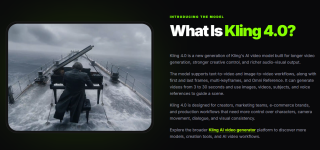
I'm Sarah Wilson. I work in AI content marketing, and I wanted to share a video generation platform I've been helping promote: Kling 4.0.
One challenge with AI video creation is getting a result that matches the original idea. A clip might have the right lighting but the wrong camera movement, or a character might look different between shots. Generating another version doesn't always fix the problem.
Kling 4.0 focuses on giving creators more ways to guide the generation process.
What it offers
For independent creators, these controls may help when developing short cinematic scenes or connecting several visual moments.
Marketing teams could also explore advertising concepts, product video ideas, and social media content before committing to a full production process.
One example would be planning a three-shot product video: an opening view, a closer product-focused shot, and a final scene showing the intended use.
Reference images and keyframes could help communicate that sequence more clearly than a single long text prompt.
What to keep in mind
AI-generated video still has limitations. Character appearance, small product details, and complex movements may require additional attempts or manual editing. Generated footage should also be checked for factual accuracy and usage permissions before commercial publication.
I haven't independently benchmarked these features against other video generators, so I'd be interested in hearing from anyone who has tested similar workflows.
Product page: Kling 4.0
A question for the community
When you're using AI video tools, which matters more to you: better visual quality, more precise control, or fewer generation attempts?
I'm particularly interested in whether reference-guided workflows actually save time once revisions are included.
Looking forward to hearing your thoughts!
Sarah
I'm Sarah Wilson. I work in AI content marketing, and I wanted to share a video generation platform I've been helping promote: Kling 4.0.
One challenge with AI video creation is getting a result that matches the original idea. A clip might have the right lighting but the wrong camera movement, or a character might look different between shots. Generating another version doesn't always fix the problem.
Kling 4.0 focuses on giving creators more ways to guide the generation process.
What it offers
- Text-to-video and image-to-video: Create video scenes from written prompts or existing images.
- Multi-keyframe control: Define important visual moments to guide how a scene develops.
- Omni Reference: Use multiple reference materials to guide characters, environments, and visual style.
- Camera motion guidance: Specify movements and framing for more deliberate shot composition.
- Longer video generation: The product page lists options of up to 30 seconds, depending on the available settings.
- Audio features: The platform describes stereo audio generation and lip synchronization.
For independent creators, these controls may help when developing short cinematic scenes or connecting several visual moments.
Marketing teams could also explore advertising concepts, product video ideas, and social media content before committing to a full production process.
One example would be planning a three-shot product video: an opening view, a closer product-focused shot, and a final scene showing the intended use.
Reference images and keyframes could help communicate that sequence more clearly than a single long text prompt.
What to keep in mind
AI-generated video still has limitations. Character appearance, small product details, and complex movements may require additional attempts or manual editing. Generated footage should also be checked for factual accuracy and usage permissions before commercial publication.
I haven't independently benchmarked these features against other video generators, so I'd be interested in hearing from anyone who has tested similar workflows.
Product page: Kling 4.0
A question for the community
When you're using AI video tools, which matters more to you: better visual quality, more precise control, or fewer generation attempts?
I'm particularly interested in whether reference-guided workflows actually save time once revisions are included.
Looking forward to hearing your thoughts!
Sarah