
mda_damico
New member
- Messages
- 11
AI Webcam Effects extension enhances video calls by offering virtual backgrounds, blurring, beautification, auto-framing, color and low-light correction, video image improvement, lower thirds, and emojis. It also and lets you record your screen. It uses advanced AI technology powered by the Video Effects SDK to detect you in the webcam video and enhance it.
✨ Key Features:
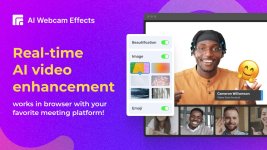
✨ Key Features:
- Perfect person detection: The pre-trained AI model accurately detects you in your webcam video, even your moving fingers.
- Real-Time Video Improvement: Improves camera quality, adds 15+ visual effects and filters.
- Plug-and-Play Simplicity: Simply install the extension, open your preferred video platform, and activate the extension after turning on your camera. No technical expertise or complex configurations required.
- Seamless Platform Integration: Compatible with popular video platforms like Google Meet, Zoom, Microsoft Teams, Skype or any other video service.
- Enjoy your privacy: All features work locally, right inside your Chrome browser. All your data stays on your device.
- Click Add to Chrome to install the extension.
- Click the AI Webcam Effects logo on the Extensions menu in the top right corner of your browser and sign in with your Google Account.
- Open a website that supports video conferencing or recording. Сlick the AI Webcam Effects logo on the Extensions menu and set up effects for you.